
Welcome!
Thank you for choosing WinSMS.
Sign up below to stay informed about WinSMS App updates and special offers on SMS credits.
Marketplace App Installation Instructions - Agency
Search for "WinSMS" in the Agency App Marketplace and click [Install]:

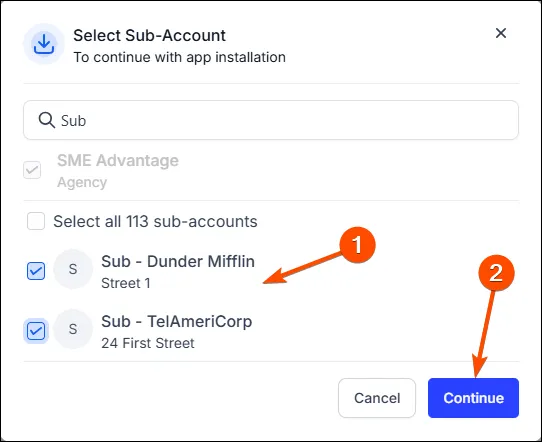
Your Agency will be pre-selected. Optionally select any Sub Accounts you'd also like to install to, and click [Continue]:
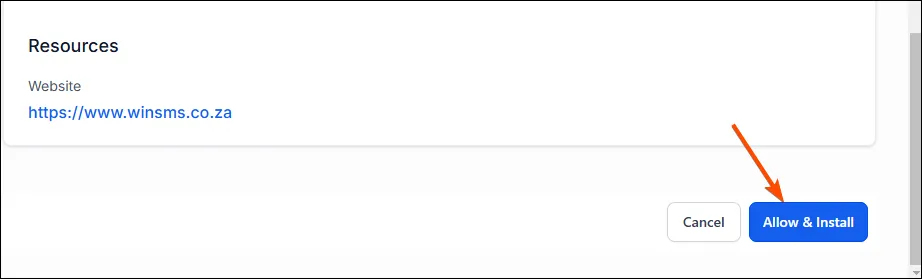
Click [Allow and Install] at the bottom of the page.
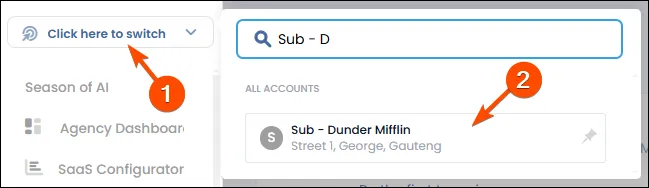
4. For every Sub Account that you installed to, switch to the Sub Account:
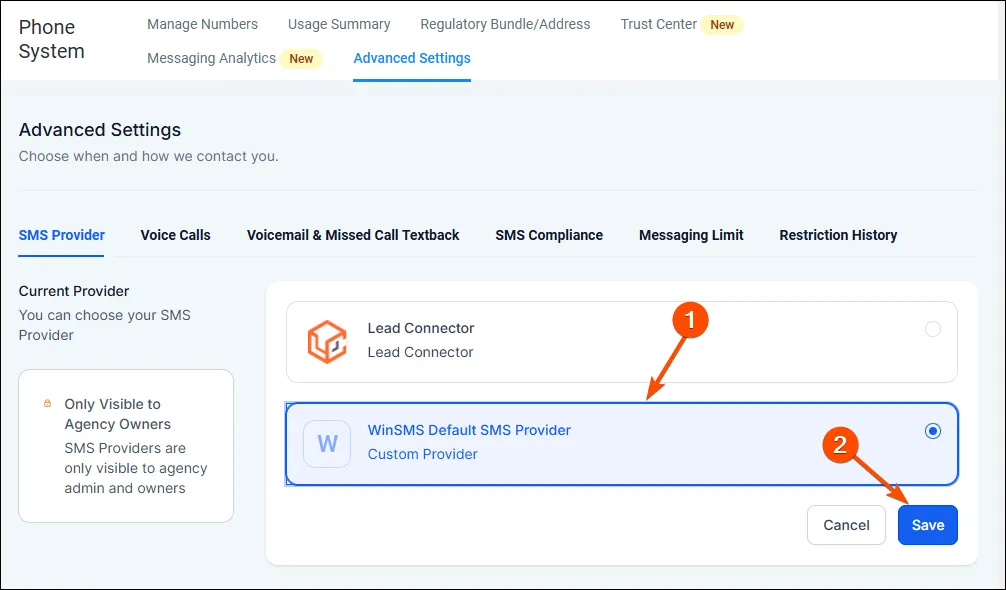
Then go to Settings -> Phone Numbers -> Advanced Settings and select "WinSMS Default SMS Provider", and click [Save]:
🚨 Note: Only Agency Admin and Agency Owners can change the Default SMS Provider.
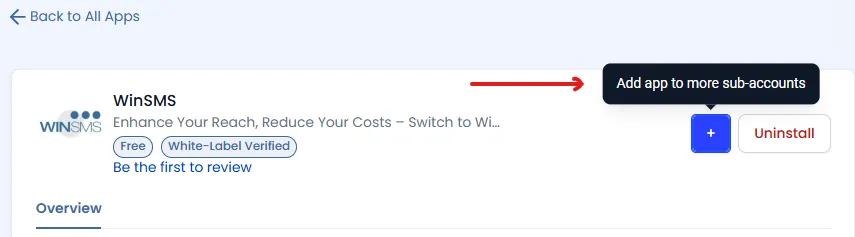
To install the app to additional sub accounts, go back to the WinSMS App in the Agency App Marketplace and click the blue button to add to additional sub accounts:
Once the above has been completed for each installed Sub Account, the Sub Account Admin must enter their WinSMS API key to complete the connection.
👉 View the Sub Account configuration instructions here.
Need assistance?
- Submit a technical support ticket here.
- General inquiries: [email protected]
- Phone support: +27116756967 (8AM-5PM UTC+02:00)
- Book an on boarding call here.